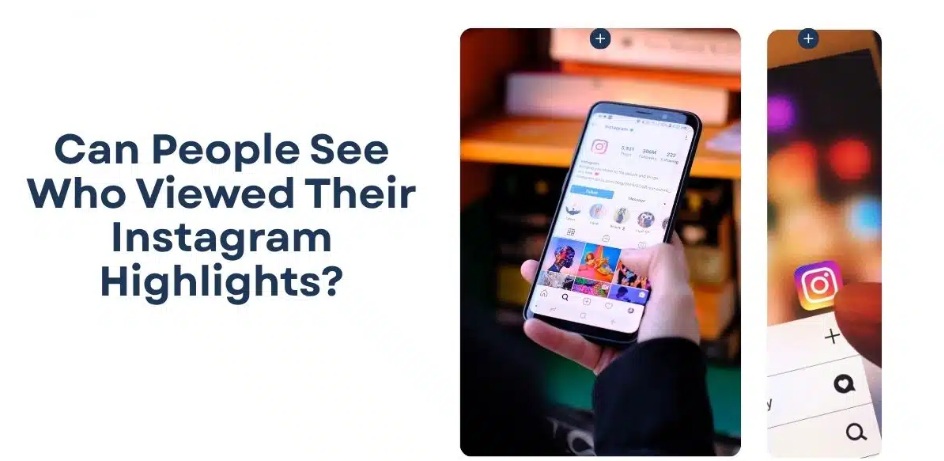
In today’s digital world, Instagram has become one of the most popular social media platforms, allowing you to share photos, videos, and highlights with your connections. Among these features, Instagram Highlights stand out as a way to preserve stories beyond the usual 24-hour limit. If you also keep highlights on your Instagram account, one common question that might come to your mind is: Can people see if you view their highlights on Instagram?
To answer this clearly, it is essential to understand how Instagram Stories and Highlights function, how viewer data is stored, and where you can check who has viewed your highlights.
What Exactly Are Instagram Highlights and How Do They Work?
Instagram highlights are just a collection of your past stories that you can save to access at any time from your profile. Unlike regular stories that disappear after 24 hours, highlights remain visible until you manually remove them. These highlights can be viewed by anyone who checks your account. They appear just below the bio section of your account’s profile and are often categorised under a different section.
You can easily create different categories in your account, such as “Travel,” “Food,” “Work,” or “Memories”, and save your stories in each category. Since highlights are essentially archived Instagram Stories, their privacy and viewer tracking features are closely tied to how Instagram Stories function.

Can Someone Check Who Viewed Their Instagram Highlights?
Yes, it is possible to check who viewed the highlights from your Instagram account – but only under certain conditions. Instagram lets you see who has viewed your stories and highlights, but this visibility is time-limited. Here’s how it works:
- If your highlights contain the Instagram story which was posted within the last 48 hours, you can see the list of viewers, including anyone who viewed it.
- However, if the story inside the highlight is older than 48 hours, you won’t see the viewer information, even if someone views it again.
So, if you’re wondering, can you see who viewed your highlights on Instagram? The answer depends entirely on how recent the story is. If the highlight contains stories older than 48 hours, your viewers’ list remains completely anonymous.
Are analytics different for private vs. public accounts?
The visibility of your highlights viewers also depends on whether your account is private or public:
- For Public Accounts: If your account is open, anyone can view the saved highlights. If the story is within 48 hours, you can see who viewed it, even if they don’t follow you.
- For Private Account: Only the users who follow you on Instagram can view highlights. Viewer data is visible only to the account owner, subject to the same 48-hour rule.
Moreover, if you are posting any Instagram story or highlight for your “Close Friends” contacts, only your “Close Friends” will be able to see them.
Can You Watch Instagram Highlights Anonymously?
If you are wondering, can people see who viewed their Instagram highlights anonymously? The answer is Yes – but only in certain cases:
Viewing highlights that include stories older than 48 hours is entirely anonymous, as Instagram doesn’t display viewer information after this period. However, multiple websites and third-party apps claiming to allow anonymous highlight viewing are unreliable and risky. The safest and most legitimate way to stay anonymous is simply to view older highlights.
Do third-party anonymous viewer apps actually work?
Many third-party applications and websites claim that they can help you view Instagram highlights anonymously. However, most of them fail to work as advertised. Instagram has strict privacy controls and does not allow anyone to access viewers’ data beyond its own app, especially for stories and highlights older than the allowed time window.
Many such third-party anonymous viewer apps pose serious risks. They often ask for login credentials, which can lead to account hacking, data theft, or permanent suspension of your account due to violation of Instagram’s terms of service. Some may also contain malware or intrusive ads.
Does Instagram Show If You Rewatch Someone’s Highlights?
No, Instagram doesn’t differentiate between first-time views and someone who replays your highlights. Even within the 48-hour window, when any viewer checks your highlights multiple times, it will list unique accounts, not the number of times a person watched the highlight.
Once the viewer data expires, rewatching a highlight leaves no trace at all.
Can People See If You Screenshot or Screen Record Instagram Highlights?
Many of you must be confused about whether Instagram allows its users to check who screen-recorded or screenshot Instagram highlights. The answer is – NO! Instagram does not notify users if someone takes a screenshot or screen recording of their highlights.
Although Instagram does not track screenshots, it still respects privacy. Sharing or misusing someone’s content without permission can violate personal boundaries or copyright, even if Instagram does not report it.
What Happens If You View Highlights Without Following the Account?
If you’ve viewed an Instagram story of any user whom you are not following, what happens depends mainly on the account’s privacy settings. For public accounts, anyone can check the stories and highlights any time, even without following. If the highlight contains a story posted within the last 48 hours, it will display your username in the viewer list. However, if it contains stories older than 48 hours, your view remains anonymous.
Importantly, Instagram doesn’t send notifications when someone views a highlight, regardless of whether you follow the account. It will only appear when the account owner manually checks the viewer list.
How Does it Work for Private Accounts?
For a private account, you cannot check anyone’s highlights until you follow them. Non-followers have no access to private highlights at all. Some third-party apps or websites claim that they can help you see the stories and highlights without following the account, but they cannot bypass this restriction. This privacy system ensures that the account owner has full control over who can view their content.
Can Businesses See More Details About Highlight Viewers?
One common myth is that Instagram offers more information to businesses about who views their highlights, but this is not entirely true. Just like personal accounts, Instagram allows business accounts to see the usernames of viewers for stories and highlights within the 48-hour time window after a story is posted. After this period, viewer identities disappear and cannot be recovered.
Businesses are only allowed to see the number of views, reach, impressions, and interactions, such as taps forward or exits, but they cannot see additional personal details about individual viewers.
How Long Are Highlight View Counts Visible to the Creator?
Whether you are a content creator or using your personal Instagram account, the visibility is time-restricted. Even for creators, if the highlights contain a story that was posted within the last 48 hours, they see both the total view count and the usernames of viewers who watched it. After completion of this 48-hour time slot, Instagram permanently removes individual viewer information.
Are There Any Privacy Settings That Affect Highlight Views?
Yes, several privacy settings are present in your Instagram account, which directly affect who can view your highlights and how visible those views are. The most important thing is whether your account is private or public. For a private account, only the followers are allowed to see your stories and highlights, while public accounts allow anyone to view them. Additionally, blocking a user or removing them from your followers immediately prevents them from viewing your highlights.
How to Control Who Can See Your Own Highlights?
You can configure some story private settings on your Instagram account to control who can see your highlights. Here’s what you can manage:
Switch to a Private Account
Switching from public to a private account prevents non-followers from accessing your stories and highlights. To change your account to private, go to Settings > Privacy > Account and turn on Private Account.
Use “Close Friends”
When posting a story that you don’t want even all your followers to view, select Close Friends. Any highlight made from this story will be visible only to selected accounts.
Hide Stories from Specific People
Go to Settings > Privacy > Story > Hide story from. Here you can select all the users whom you don’t want to see your stories or highlights.
Remove or Block Users
Removing someone from your followers or blocking them instantly stops them from viewing your highlights.
Final Summary
Looking for answers to can you see who viewed your Instagram highlights? Yes, it is possible to see the viewer’s name if your highlight includes a story posted within the last 48 hours. However, after that 48-hour window closes, it won’t be possible to track viewers. Understanding this helps users navigate Instagram more confidently, whether they are casually browsing profiles or managing their own privacy. Moreover, you can adjust some settings on your Instagram account to keep your stories and highlights safe from unknown access.