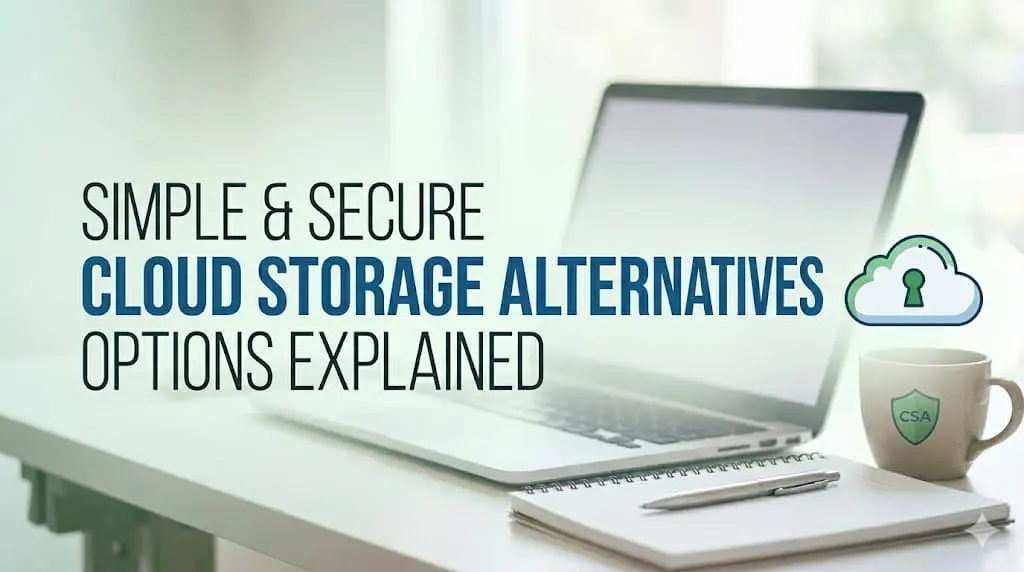
Cloud storage is a digital storage solution that you can use to save data on remote servers instead of local devices like hard drives or USB drives. There are several cloud storage service providers, such as Google Drive, Dropbox, OneDrive, and iCloud, which allow you to sync files seamlessly across multiple devices. These cloud backups allow you to access your files anytime and anywhere using the internet.
However, despite these benefits, many individuals and businesses are now exploring cloud storage alternatives due to concerns about privacy, security, cost, and control over data. In this article, we’ll discuss some simple and secure options for cloud storage alternatives that you can try to create a cloud sync of your files and folders. Let’s check them in detail!
Understanding What is Cloud Storage
Cloud storage is a technology that allows you to store your data—such as photos, videos, documents, and backups—on remote servers instead of on your personal computer or mobile device. These cloud servers are managed by third-party service providers and can be accessed through the internet.
Instead of saving your files on storage devices such as a hard drive or a USB, cloud storage lets you upload them to an online platform like Google Drive, Dropbox, OneDrive, or iCloud. After uploading, you can use these backups to access your files anytime, from any device, as long as you have an internet connection.
Why Are People Looking for an Alternative to Cloud Storage?
While cloud storage is widely used, sometimes it is not perfect. In such a case, you can use an alternative to cloud storage for better use. Here are some main reasons why people need alternatives:
Privacy Concerns
Cloud services store data on their own servers. This means your sensitive information can be made accessible to third parties. Some users worry about data mining, tracking, or unauthorised access.
Security Risks
Although few cloud providers use encryption, some of them can be easily targeted by hackers. Data breaches and ransomware attacks are increasing globally.
Subscription Costs
Many cloud services require monthly or yearly payments. Over time, these costs can become expensive compared to one-time hardware investments.
Internet Dependency
Cloud storage requires a stable internet connection. Without internet access, users may not be able to access or upload important files.
Because of these concerns, many users are looking for alternatives to cloud storage that offer better privacy, cost efficiency, and independence.
What Are Cloud Storage Alternatives?
Cloud storage alternatives are the available methods that you can use to store and manage data without relying entirely on third-party cloud providers. These options can include local storage devices, hybrid systems, private servers, or decentralised networks.
Though most of these alternatives focus on better security, it’s important to check their features before relying on any specific cloud storage. Choosing the right option somehow also depends on your personal or business needs.
Top 05 Cloud Storage Alternatives [Pros & Cons]
Here are some best, simple and secure cloud storage alternatives that you can try. It is important to carefully check their features and select the one that best fits your business needs:
1: External Hard Drives
External hard drives are portable storage devices that you can connect to your PC or laptop using a USB cable. It allows you to back up your important files, store large media collections, and transfer data between devices. These drives offer high storage capacity, ranging from hundreds of gigabytes to several terabytes.
Creating backups of your files using external hard drives allows you access them locally, i.e., without any internet. External hard drives are popular among individuals and businesses looking for a reliable alternative to cloud storage. However, like any physical device, they can be damaged, lost, or stolen if not handled carefully.
| Pros | Cons |
|---|---|
|
|
2: pCloud
pCloud is a secure cloud storage service that you can use to store, access, and share files online. This alternative to cloud storage has become popular for its strong privacy features and flexible storage plans. It is designed with a freemium model, including lifetime subscription plans, which make it different from many competitors. It also provides client-side encryption through pCloud Crypto for enhanced security.
| Pros | Cons |
|---|---|
|
|
3: kDrive
Developed by Swiss company Infomaniak, kDrive is a cloud storage service which is mainly known for its strong focus on privacy and data protection. It allows you to store, sync, and share files securely across multiple devices. This alternative to cloud storage follows strict Swiss data protection laws, making it attractive to privacy-conscious users.
| Pros | Cons |
|---|---|
|
|
4: Sync.com
Sync.com is a privacy-focused cloud storage service which follows strong privacy regulations and offers end-to-end encryption to protect user data. Developed in Canada, this cloud storage alternative supports automatic synchronisation across devices and secures file sharing with password protection. With competitive pricing and generous storage plans, Sync.com is considered a reliable and secure alternative to traditional cloud storage providers.
| Pros | Cons |
|---|---|
|
|
5: Proton Drive
Last in our list of alternatives to cloud storage is Proton Drive. It is a secure cloud storage service developed by Proton, mainly known for privacy and end-to-end encryption. You can use Proton Drive to access your stored files even without any knowledge of encryption. Designed for privacy-conscious individuals and businesses, this cloud storage alternative integrates well with the Proton ecosystem. With a clean interface and strong security foundation, it is considered a reliable alternative to traditional cloud storage providers, prioritising data protection.
| Pros | Cons |
|---|---|
|
|
Quick Comparison: Top 05 Cloud Storage Alternatives
Now that you are familiar with the key features of the above-mentioned top 05 simple and secure alternatives to cloud storage, it becomes easier to compare them side by side. To help you make a clearer and more informed decision, the comparison table below highlights the essential differences in these options:
| Option | Key Features | Best For |
| External Hard Drives | Offline storage, full control, no internet needed | Personal backups, large offline files |
| pCloud | Optional client-side encryption, lifetime plans, file versioning | Flexible, secure cloud storage |
| kDrive | Swiss privacy laws, collaboration tools, eco-friendly servers | Privacy-focused individuals and teams |
| Sync.com | End-to-end encryption, zero-knowledge privacy, secure sharing | Highly secure file storage and sharing |
| Proton Drive | End-to-end encryption, Swiss-based, Proton ecosystem integration | Maximum privacy and encrypted storage |
Final Thoughts: Should You Switch from Cloud Storage?
Still wondering whether you should switch from cloud storage? It totally depends on your needs. You can carefully check the features of the above alternatives to cloud storage and then choose the one that best fits your needs. Instead of completely replacing cloud storage, you can also combine it with other alternatives for better security and flexibility. Carefully review the features of each option and choose the solution that best aligns with your personal or business needs.
Suggested Read: How to Enable iMessage on iPhone
Frequently Asked Questions (FAQs)
You can use cloud storage alternatives such as external hard drives, pCloud, kDrive, etc., for personal use.
Yes, but you may lose benefits like remote access, automatic syncing, and collaboration features.
Cloud storage alternatives can be safe, depending on the option chosen. Security varies by encryption, setup, physical protection, and user responsibility for maintenance.